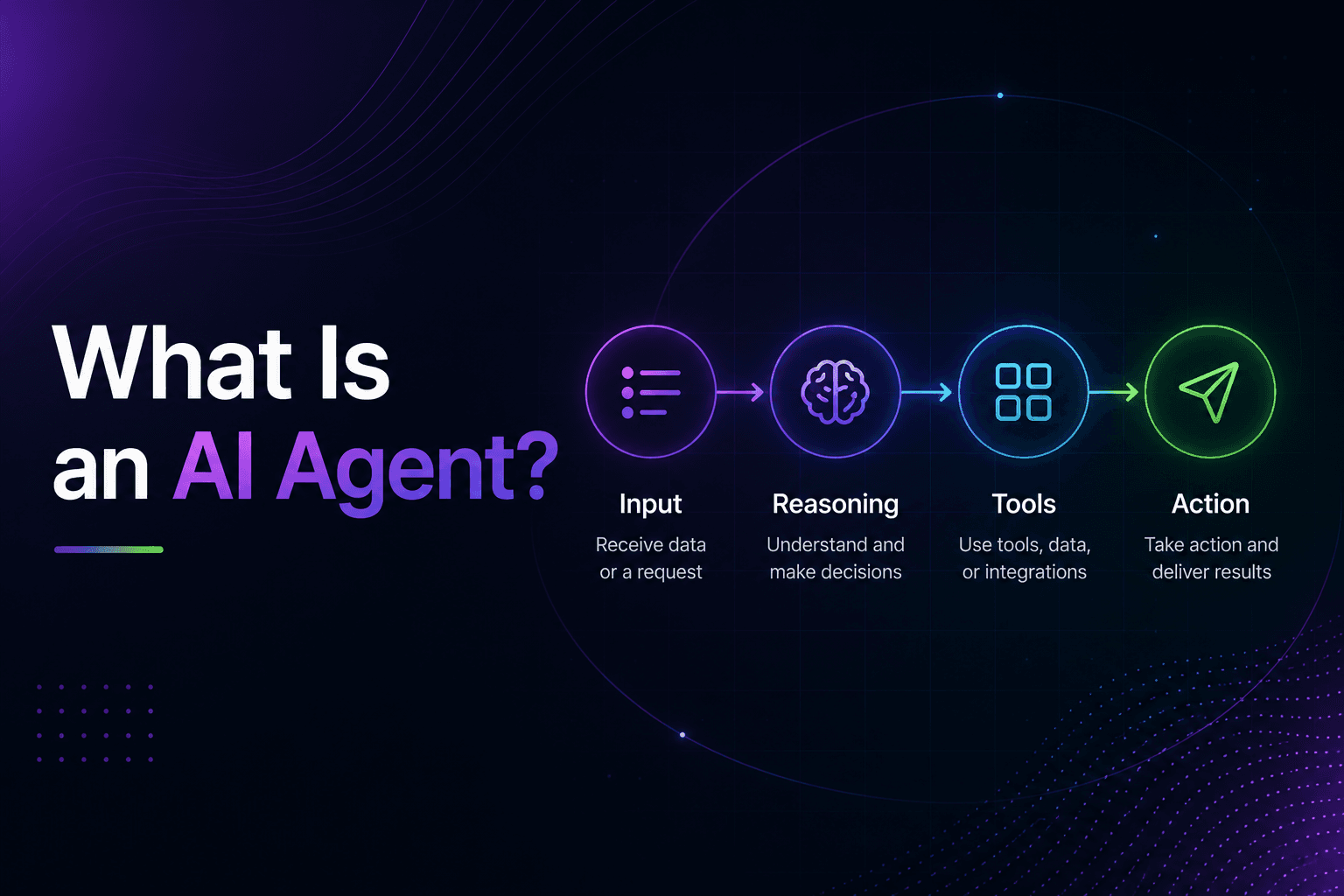
What Is an AI Agent?

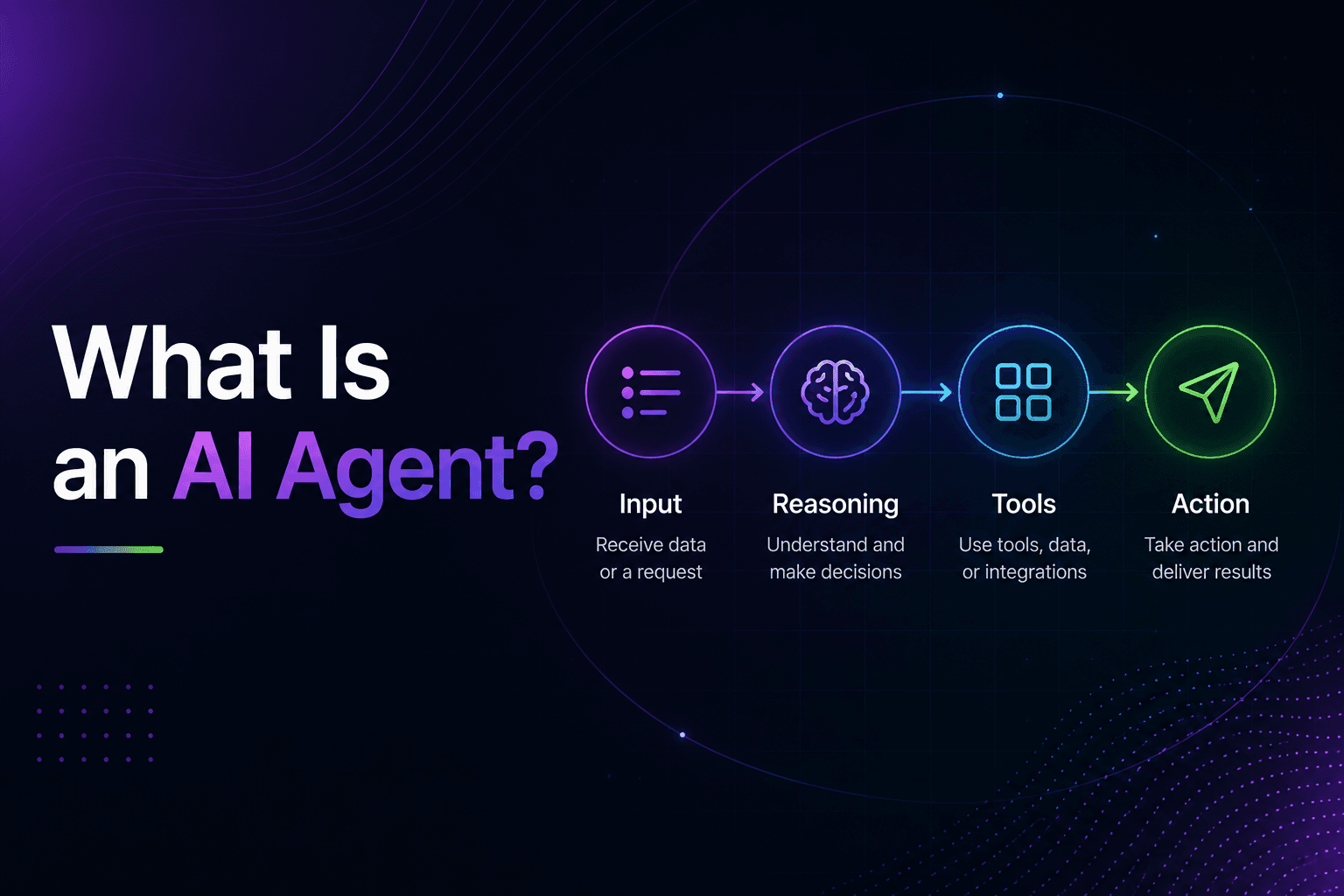
An AI agent is autonomous software built around a large language model that can perceive its environment, reason about a goal, choose tools, and act across multiple steps to complete a task with minimal human supervision.
Key Takeaways
- An AI agent combines an LLM, memory, a planning loop, and tools. It’s not just a chatbot with extra branding (Agent = LLM + Memory + Planning + Tool Use framework, 2026)
- Fewer than 10% of enterprises have scaled an agent to deliver value, even as Gartner expects 40% of enterprise apps to embed one by end of 2026 (McKinsey, 2025; Gartner, 2025)
- Most agent failures trace back to missing business context, not weak reasoning. A coding agent without your architecture, or a content agent without your brand voice, produces generic, easily detected output
The distinction that matters: the LLM is the reasoning engine, not the whole system. An agent wraps that model in memory (so it remembers what it already tried), a planning loop (so it can break a goal into steps), and tool access (so it can actually do something, like search the web, call an API, or write to a database). Remove any one of those three pieces and you have a chatbot, not an agent.
Is this AI hype dressed up in new language? Sometimes. A lot of products marketed as “agents” in 2026 are still single-turn chatbots with a new label. A real agent is testable: ask it to complete a multi-step task with a tool in the loop, and watch whether it adapts when the first attempt fails.
AI Agent vs. Chatbot vs. Automation vs. Copilot
The main difference is who — or what — is actually doing the work. A chatbot answers one turn at a time. Automation follows fixed, predefined steps. A copilot assists a human inside a product or workflow, drafting or suggesting while the human stays in control and approves each step. An agent works toward a goal on its own, choosing tools and acting across multiple steps with the human reviewing outcomes rather than every action. Confusing these four is the single most common reason a project picks the wrong technology.
| Chatbot | Traditional Automation (RPA) | Copilot | AI Agent | |
|---|---|---|---|---|
| Interaction | Single-turn, reactive | Triggered by fixed rules | Assists a human inside a workflow | Multi-step, goal-directed |
| Reasoning | None, pattern matches a response | None, follows a script | Suggests, drafts, and explains on request | Plans, reasons, adapts mid-task |
| Tool use | Rare or none | Pre-wired integrations only | Reads and drafts within one product | Chooses tools dynamically |
| Who acts | The bot responds; the user still acts | The system executes the fixed steps | The human stays in control and approves each step | The agent acts on its own within defined limits |
| Handles change | Poorly, breaks outside script | Poorly, breaks if process changes | Handles change well since a human is driving | Designed to adapt |
| Best for | FAQ-style support, simple lookups | Repetitive, unchanging workflows | Speeding up a human doing skilled work (writing, coding, analysis) | Open-ended tasks needing judgment |
If your task has a fixed, unchanging set of steps, automation is cheaper and more reliable than an agent. Agents earn their cost when the task requires judgment calls a rigid script can’t make.
What Is the Core Architecture of an AI Agent?
Every production AI agent is built from four parts: a reasoning core (the LLM), memory, a planning layer, and tool access. This is summarized as the formula Agent = LLM + Memory + Planning + Tool Use (2026 agent architecture consensus). Strip any component out and capability collapses in a specific, predictable way.
The reasoning core is the LLM itself; it interprets the goal and decides what to do next. Memory is treated as its own architectural component in 2026, not just a longer prompt, typically split into episodic memory (specific past events), semantic memory (general facts), and procedural memory (how a task should be done), often scoped per user, session, or organization (Mem0, State of AI Agent Memory 2026, 2026). Planning breaks a broad goal into ordered steps. Tools are the agent’s hands: APIs, web search, code execution, and databases, the parts that let it actually change something in the world instead of just describing what it would do.

A production agent isn’t a single prompt. It behaves like a small distributed system where the LLM happens to be the planner and executor, with hierarchical setups increasingly common: a master agent delegating subtasks to specialized sub-agents for narrower jobs (2026 production architecture pattern).
What Are the Core Components of an AI Agent?
Every AI agent is assembled from the same eight building blocks, whether it’s a support bot or a multi-agent research system. Missing any one of them is usually why an agent “works” in a demo and falls apart in production.
| Component | What it does |
|---|---|
| AI model | Understands language, reasons through tasks, and generates outputs |
| Instructions | Defines how the agent should behave and what it should prioritize |
| Tools | Let the agent search, update, send, retrieve, calculate, or trigger actions |
| Data access | Gives the agent context from documents, systems, databases, or APIs |
| Memory | Helps the agent retain useful context across steps and sessions |
| Rules and permissions | Control what the agent can and cannot do |
| Human approval | Adds review before sensitive or irreversible actions |
| Evaluation | Tests whether the agent is reliable and useful over time, not just in a demo |
Without these components working together, an AI agent often becomes just a chatbot with better wording, capable of describing a task but not completing one.
How Does an AI Agent Actually Work?
An AI agent works by cycling through a loop. It perceives the current state, reasons about what to do, takes an action with a tool, observes the result, and updates its memory before reasoning again, repeating until the goal is met or it hits a limit. The standard version of this pattern is called ReAct (Reasoning and Acting): the model reasons about why a tool call makes sense, executes it, processes what comes back, and reasons again (Yao et al., ReAct: Synergizing Reasoning and Acting in Language Models, ICLR 2023).
Walk through a concrete example: a support agent gets a ticket asking for a refund status. It reasons that it needs order data, calls the orders API (action), reads the response (observation), checks the refund policy against that order’s details (reasoning again), and either resolves the ticket or escalates it, updating its memory with the outcome either way.

This loop is also where things go wrong. Agentic coding tasks consume roughly 3,500 times more tokens than single-round code reasoning and around 1,200 times more than multi-round chat, because the full context gets re-read before every new action (How Do AI Agents Spend Your Money? Analyzing and Predicting Token Consumption in Agentic Coding Tasks, 2026). More steps mean more chances for a small error early on to compound by the end.
What Are the Different Types of AI Agents?
AI agents fall into a small number of recognizable categories based on how they decide what to do next: reflex, model-based, goal-based, utility-based, learning, and multi-agent systems. Most production deployments in 2026 are goal-based or multi-agent. The simpler types are mostly used as building blocks inside larger systems now.
| Type | How it decides | Typical use |
|---|---|---|
| Simple reflex | Fixed condition-action rules, no memory | Basic chatbots, simple alerts |
| Model-based reflex | Keeps an internal model of the environment | Monitoring systems that track state over time |
| Goal-based | Plans a sequence of actions toward a defined goal | Task agents: booking, research, support resolution |
| Utility-based | Weighs multiple possible outcomes, picks the best one | Pricing, resource allocation, ranked recommendations |
| Learning | Improves its own behavior from feedback over time | Agents that get better with usage data |
| Multi-agent / orchestrated | Multiple specialized agents coordinate on sub-tasks | Complex workflows split across coding, research, and QA agents |
When Should You Use an AI Agent?
Not every task needs an agent. The table below is a quick gut-check before scoping a build.
| Situation | Is an AI agent useful? |
|---|---|
| The task requires using multiple tools | Yes |
| The workflow changes based on user input | Yes |
| The agent needs to retrieve and summarize information | Yes |
| The process needs approvals or escalation | Yes |
| The task is a simple, fixed rule | Traditional automation is usually cheaper and more reliable |
| The task is only answering FAQs | A chatbot may be enough |
| The action is high-risk with no review step | Not without strict controls in place first |
Agents earn their cost when a task needs judgment calls a rigid script can’t make. If the steps never change, you’re paying agent-level complexity for automation-level requirements.
When You Should Not Use an AI Agent
It’s just as important to know when an agent is the wrong call. Four situations where we’d tell a client to hold off:
- The process is fixed and predictable. If the steps never change, traditional automation does the same job for less money and fewer failure modes.
- The use case is answering questions, not taking action. A well-built chatbot or knowledge base covers FAQ-style support without the added complexity of tool access and multi-step reasoning.
- The action is high-risk and there’s no approval step. Sending money, messaging customers at scale, or changing production data should not run unsupervised until the agent has a track record and a human checkpoint.
- The workflow itself isn’t defined yet. An agent automates a process; it can’t invent one. If the humans doing the task today can’t describe it consistently, fix the workflow before you automate it.
An agent isn’t the answer to every automation problem, and treating it that way is how projects end up over-engineered and unreliable.
What Can AI Agents Actually Do for a Business?
AI agents handle tasks that need judgment across multiple steps, not just a single response. In our work, that’s mainly meant customer support resolution, lead capture and qualification, personalized sales outreach, business process automation, and web research that feeds a real decision. These aren’t hypothetical categories; they’re what we’ve actually built and shipped for clients.
A support agent that resolves tickets needs to pull order data, check policy, and decide an outcome, not just answer FAQs. A sales outreach agent that’s actually useful researches the prospect first and writes something specific to them, not a templated opener. A process-automation agent watches for a trigger condition, gathers the inputs a human would normally gather, and executes the next step end-to-end.

Why AI Agents Fail After the Demo
A demo only has to work once, on a script someone already tested. Production has to work every time, on inputs nobody tested. That gap is where most agent projects fail, and it’s rarely one dramatic bug — it’s usually one of these:
- Missing workflow context — the agent was built against a generic task description, not how the work actually happens inside the business
- Weak tool access — it can describe what it would do but can’t actually reach the system it needs to act on
- Incomplete data — it’s reasoning over a partial or stale view of the business, so it fills gaps with guesses
- Poor permission boundaries — either too locked down to be useful, or too open to be safe
- No human approval step — sensitive actions ship without anyone reviewing them first
- No error recovery — one failed tool call derails the rest of the task instead of retrying or escalating
- No monitoring after launch — nobody’s watching whether it’s still working three weeks after everyone stopped paying attention
None of these show up in a five-minute demo. They show up in week three, when the agent hits an input nobody scripted for.
The Context Gap Behind Most of These Failures
Of the failure points above, one shows up more than the rest combined: missing workflow context. It’s not that the underlying model can’t reason well enough — trust in fully autonomous agents fell from 43% to 27% in a single year as more companies tried them in production and saw the gap firsthand (Capgemini Research Institute, Rise of Agentic AI, 2025). An agent with deep, specific context about one business consistently outperforms a more “capable” generic one, because the gap was never reasoning power. It was information.
Concretely: a coding agent needs your actual component design and naming conventions, not just the feature request, or it produces code that’s technically correct but doesn’t fit — a reviewer can tell in seconds. A content agent needs your brand’s past material and tone, or it produces something generic that reads like every other company’s AI-written post. We’ve seen both failure modes repeatedly across client work, and the fix was never a better prompt. It was giving the agent the context a new human hire would also need on day one.
The quality gap this produces is measurable. Ahrefs found 74.2% of 900,000 newly created web pages contained AI-generated content as of April 2025 (Ahrefs, What Percentage of New Content Is AI-Generated?, 2025) — generic output is now the norm, which makes it easier for readers to tune out. An NP Digital study of 744 articles found human-written content drew 5.44x more traffic than AI-generated content by month five, ranking higher on Google 94.12% of the time (NP Digital, AI vs. Human content study, 2025). A context-starved agent produces exactly this kind of generic output. A context-rich one doesn’t.

Limitations and Open Challenges
AI agents today are limited by hallucination under ambiguous instructions, hard context-window caps, and error compounding across multi-step chains. These aren’t edge cases; they’re structural properties of how current agents work, not bugs that get patched away. Most production-grade explanations gloss over this. The specifics matter if you’re deciding whether to deploy one.
Context windows are typically capped around 128,000 tokens for widely used models, and performance measurably degrades when relevant information sits in the middle of that window rather than at the start or end. Researchers from Stanford, UC Berkeley, and Samaya AI found performance can drop by more than 30% when critical information shifts from the edges of the context window to the middle (Liu et al., Lost in the Middle: How Language Models Use Long Contexts, 2023). When context is incomplete, fragmented, or contradictory, the model fills the gap using general knowledge instead of your actual data. That gap-filling is a major driver of hallucination, not a random glitch.
In multi-step loops like ReAct, a single wrong step early on can propagate downstream. By the final step, the conclusion can be completely detached from the original source data. This is why agent reliability work focuses so heavily on guardrails and evaluation at every step, not just at the final output.
What Makes an AI Agent Production-Ready?
The gap between a working demo and a production agent comes down to a specific set of engineering decisions, not a bigger model:
| Requirement | Why it matters |
|---|---|
| Tool and API integrations | The agent can only act on systems it’s actually connected to |
| Permission controls | Limits what the agent can touch, scoped to what the task actually needs |
| Human approval | A review step before irreversible or customer-facing actions |
| Logging and traceability | Lets you see exactly what the agent did and why, after the fact |
| Error recovery | Retries, fallbacks, or escalation when a step fails instead of derailing the task |
| Testing against real workflows | Validated against actual edge cases, not just the happy path from the demo |
| Cost and latency monitoring | Multi-step loops can burn tokens and time fast; this needs to be visible, not discovered in a bill |
| Continuous evaluation | Checks that the agent is still reliable weeks after launch, not just on day one |
Skip any of these and the agent still works — until it hits the one input nobody planned for.
How to Evaluate an AI Agent Build
The single most useful question when evaluating an AI agent vendor is whether they’re building against your actual business context or just your stated task. Ask to see how they plan to ingest your codebase, your brand material, or your historical workflow data, not just your requirements document.
A short evaluation checklist:
1 Context ingestion
do they have a concrete plan to feed the agent your real data, not a generic template?
2 Failure handling
what happens when a step in the loop fails or returns ambiguous data?
3 Evaluation method
how do they measure whether the agent is actually working, beyond a demo?
4 Tool access scope
does the agent have the minimum tools it needs, or broad, risky access?
5 Maintenance plan
who updates the agent’s context as your business changes?
Talk to us about scoping an AI agent for your business.
Related Resources
- AI agent development services: how Decrypted Labs builds context-aware AI agents
- Gartner, McKinsey, and Capgemini Research Institute for the enterprise adoption and trust data cited above (see Sources at the bottom of this guide for direct links)
Still Have Questions?
This guide gets updated as agent architecture and the production data around it change. If something here doesn’t match what you’re seeing in your own AI agent project, reach out to Decrypted Labs. We’re building these for clients, not just writing about them.